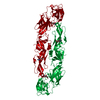
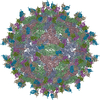
Movie
Movie Controller


+ Open data

- Basic information
| Entry | Database: PDB / ID: 3c6d | ||||||
|---|---|---|---|---|---|---|---|
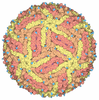
| Title | The pseudo-atomic structure of dengue immature virus | ||||||
 Components Components |
| ||||||
 Keywords Keywords |  VIRUS / icosahedral virion / Helicase / Hydrolase / Nucleotide-binding / RNA replication / Transmembrane / ATP-binding / Capsid protein / Cleavage on pair of basic residues / Endoplasmic reticulum / Envelope protein / Glycoprotein / Metal-binding / Multifunctional enzyme / Nucleotidyltransferase / Nucleus / Phosphoprotein / Protease / Ribonucleoprotein / RNA-binding / RNA-directed RNA polymerase / Secreted / Serine protease / Transcription / Transcription regulation / Transferase / Viral nucleoprotein / icosahedral virus VIRUS / icosahedral virion / Helicase / Hydrolase / Nucleotide-binding / RNA replication / Transmembrane / ATP-binding / Capsid protein / Cleavage on pair of basic residues / Endoplasmic reticulum / Envelope protein / Glycoprotein / Metal-binding / Multifunctional enzyme / Nucleotidyltransferase / Nucleus / Phosphoprotein / Protease / Ribonucleoprotein / RNA-binding / RNA-directed RNA polymerase / Secreted / Serine protease / Transcription / Transcription regulation / Transferase / Viral nucleoprotein / icosahedral virus | ||||||
| Function / homology |  Function and homology information Function and homology informationsymbiont-mediated suppression of host JAK-STAT cascade via inhibition of host TYK2 activity / flavivirin / host cell mitochondrion / symbiont-mediated suppression of host JAK-STAT cascade via inhibition of STAT2 activity / symbiont-mediated suppression of host cytoplasmic pattern recognition receptor signaling pathway via inhibition of MAVS activity / ribonucleoside triphosphate phosphatase activity / viral capsid / : / nucleoside-triphosphate phosphatase / double-stranded RNA binding ...symbiont-mediated suppression of host JAK-STAT cascade via inhibition of host TYK2 activity / flavivirin / host cell mitochondrion / symbiont-mediated suppression of host JAK-STAT cascade via inhibition of STAT2 activity / symbiont-mediated suppression of host cytoplasmic pattern recognition receptor signaling pathway via inhibition of MAVS activity / ribonucleoside triphosphate phosphatase activity / viral capsid / : / nucleoside-triphosphate phosphatase / double-stranded RNA binding / protein complex oligomerization / monoatomic ion channel activity / mRNA (guanine-N7)-methyltransferase / methyltransferase cap1 / clathrin-dependent endocytosis of virus by host cell / mRNA (nucleoside-2'-O-)-methyltransferase activity / mRNA 5'-cap (guanine-N7-)-methyltransferase activity / RNA helicase activity / membrane => GO:0016020 / host cell endoplasmic reticulum membrane / host cell perinuclear region of cytoplasm / protein dimerization activity / RNA helicase / induction by virus of host autophagy / RNA-directed RNA polymerase / viral RNA genome replication / RNA-dependent RNA polymerase activity / serine-type endopeptidase activity / fusion of virus membrane with host endosome membrane / viral envelope / symbiont-mediated suppression of host type I interferon-mediated signaling pathway / host cell nucleus / structural molecule activity / virion attachment to host cell / endoplasmic reticulum membrane / virion membrane / ATP hydrolysis activity / proteolysis / extracellular region / ATP binding / membrane / metal ion binding / nucleusSimilarity search - Function | ||||||
| Biological species |  Dengue virus 2 Thailand/16681/84Dengue virus 2 Dengue virus 2 Thailand/16681/84Dengue virus 2 | ||||||
| Method | ELECTRON MICROSCOPY / single particle reconstruction / cryo EM / Resolution: 12.5 Å | ||||||
 Authors Authors | Li, L. | ||||||
 Citation Citation | Journal: Science / Year: 2008 Title: The flavivirus precursor membrane-envelope protein complex: structure and maturation. Authors: Long Li / Shee-Mei Lok / I-Mei Yu / Ying Zhang / Richard J Kuhn / Jue Chen / Michael G Rossmann /  Abstract: Many viruses go through a maturation step in the final stages of assembly before being transmitted to another host. The maturation process of flaviviruses is directed by the proteolytic cleavage of ...Many viruses go through a maturation step in the final stages of assembly before being transmitted to another host. The maturation process of flaviviruses is directed by the proteolytic cleavage of the precursor membrane protein (prM), turning inert virus into infectious particles. We have determined the 2.2 angstrom resolution crystal structure of a recombinant protein in which the dengue virus prM is linked to the envelope glycoprotein E. The structure represents the prM-E heterodimer and fits well into the cryo-electron microscopy density of immature virus at neutral pH. The pr peptide beta-barrel structure covers the fusion loop in E, preventing fusion with host cell membranes. The structure provides a basis for identifying the stages of its pH-directed conformational metamorphosis during maturation, ending with release of pr when budding from the host. | ||||||
| History |
|
- Structure visualization
| Movie |
Movie viewer |
|---|---|
| Structure viewer | Molecule: MolmilJmol/JSmol |
- Downloads & links
-Download
| PDBx/mmCIF format | 3c6d.cif.gz | 56.8 KB | Display | PDBx/mmCIF format |
|---|---|---|---|---|
| PDB format | pdb3c6d.ent.gz | 35.5 KB | Display | PDB format |
| PDBx/mmJSON format | 3c6d.json.gz | Tree view | PDBx/mmJSON format | |
| Others |  Other downloads Other downloads |
-Validation report
| Arichive directory | https://data.pdbj.org/pub/pdb/validation_reports/c6/3c6dftp://data.pdbj.org/pub/pdb/validation_reports/c6/3c6d | HTTPS FTP |
|---|
-Related structure data
| Related structure data | 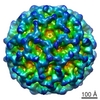 5102M 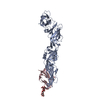 3c5xC  3c6eC C: citing same article ( M: map data used to model this data |
|---|---|
| Similar structure data |


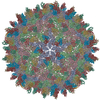
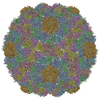
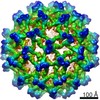
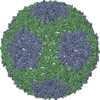
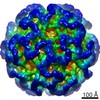
-Links
 PDBj
PDBj
- Assembly
| Deposited unit | 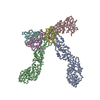
|
|---|---|
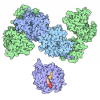
| 1 | x 60
|
| 2 |
|
| 3 | x 5
|
| 4 | x 6
|
| 5 | 
|
| Symmetry | Point symmetry: (Schoenflies symbol: I (icosahedral)) |
-Components
| #1: Protein | Proteolysis / Coordinate model: Cα atoms only Mass: 43904.410 Da / Num. of mol.: 3 / Source method: isolated from a natural source / Source: (natural) Dengue virus 2 Thailand/16681/84 / Genus: Flavivirus / Species: Dengue virus / Strain: 16681 / References: UniProt: O11875, UniProt: A7TUD3*PLUS#2: Protein | Mass: 9261.531 Da / Num. of mol.: 3 / Source method: isolated from a natural source / Source: (natural) Dengue virus 2 / Genus: Flavivirus / Species: Dengue virus / Strain: 2 / References: UniProt: P14337, UniProt: Q3BCY5*PLUSSequence details | THE AUTHOR STATES THAT THE DIFFERENCES BETWEEN THE SEQUENCE AND THE SEQUENCE IN THE DATABASE ...THE AUTHOR STATES THAT THE DIFFERENCE | |
|---|
-Experimental details
-Experiment
| Experiment | Method: ELECTRON MICROSCOPY |
|---|---|
| EM experiment | Aggregation state: PARTICLE / 3D reconstruction method: single particle reconstruction |
- Sample preparation
| Component | Name: DENGUE-2 IMMATURE PARTICLE / Type: VIRUS Details: THE SAMPLES WERE PRODUCED BY ADDING AMMONIUM CHLORIDE TO THE MEDIA IN THE LATE INFECTION STAGE |
|---|---|
| Details of virus | Host category: VERTEBRATES / Isolate: STRAIN / Type: VIRION |
| Natural host | Organism: Aedes aegypti / Strain: C6/36 |
| Buffer solution | pH: 7.6 / Details: 12 mM Tris-HCl, 120 mM NaCl, 1 mM EDTA |
| Specimen | Embedding applied: NO / Shadowing applied: NO / Staining applied: NO / Vitrification applied: YES |
| Vitrification | Instrument: HOMEMADE PLUNGER / Cryogen name: ETHANE |
- Electron microscopy imaging
| Microscopy | Model: FEI/PHILIPS CM300FEG/T / Date: Apr 4, 2008 |
|---|---|
| Electron gun | Electron source: FIELD EMISSION GUN / Accelerating voltage: 300 kV / Illumination mode: FLOOD BEAM |
| Electron lens | Mode: BRIGHT FIELDBright-field microscopy / Nominal magnification: 45000 X / Calibrated magnification: 33000 X / Nominal defocus max: 3640 nm / Nominal defocus min: 1662 nm / Cs: 2 mm |
| Specimen holder | Temperature: 100 K / Tilt angle max: 0 ° / Tilt angle min: 0 ° |
| Image recording | Electron dose: 15 e/Å2 / Film or detector model: KODAK SO-163 FILM |
- Processing
| EM software |
| |||||||||||||||||||||
|---|---|---|---|---|---|---|---|---|---|---|---|---|---|---|---|---|---|---|---|---|---|---|
| Symmetry | Point symmetry: I (icosahedral) | |||||||||||||||||||||
| 3D reconstruction | Resolution: 12.5 Å / Num. of particles: 2741 / Symmetry type: POINT | |||||||||||||||||||||
| Atomic model building | Protocol: RIGID BODY FIT / Space: REAL Target criteria: USE PROGRAM EMFIT, SEARCH FOR POSTION WHERE ATOMS OCCUPY MOST EM DENSITY PEAKS Details: METHOD--SEE PRIMARY CITATION REFINEMENT PROTOCOL--RIGID BODY | |||||||||||||||||||||
| Atomic model building |
| |||||||||||||||||||||
| Refinement step | Cycle: LAST
|